
Introduction
If you have ever stared at a forex platform and felt lost, you are not alone. Many new traders want a clear, no-fluff walkthrough, and that is exactly why understanding how to trade forex on thinkorswim matters before you risk a single dollar. Thinkorswim, the desktop and mobile platform from Charles Schwab (formerly TD Ameritrade), is known for deep charting, advanced order types, and a powerful options and futures toolset. This guide breaks down everything from opening an account to funding it, finding currency pairs, placing your first trade, and reading charts like a pro. We will also explore how to trade forex on webull for those who prefer a simpler app, and finish with a realistic look at how to trade forex with 100 dollars. By the end, you will have a practical roadmap and the confidence to begin trading responsibly.
Understanding the Thinkorswim Platform for Forex
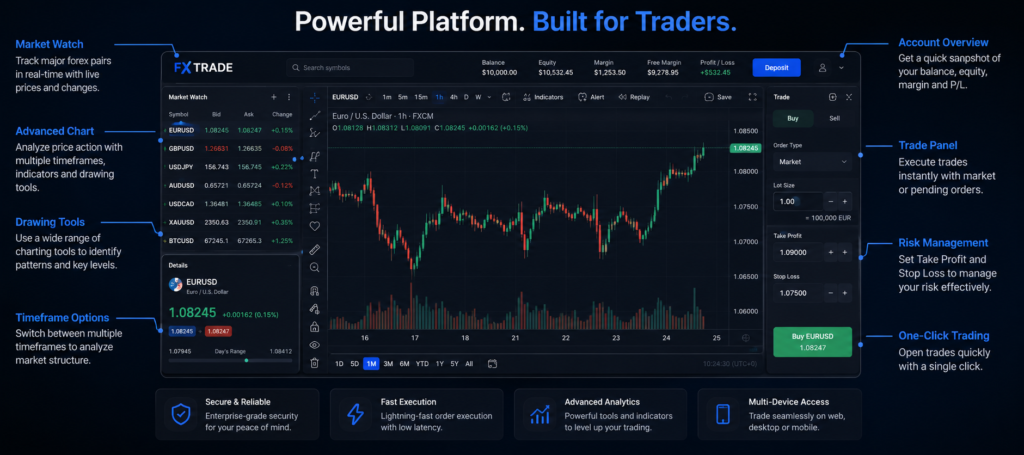
Thinkorswim is one of the most respected trading platforms in the retail world, and for good reason. It started life under TD Ameritrade and now sits within the Charles Schwab ecosystem after the two firms merged. The platform comes in three flavors: a full-featured desktop application, a web version, and a mobile app. The desktop version is the heavyweight, packed with professional charting, scanning tools, and a built-in scripting language called thinkScript that lets you build custom studies.
When you first learn how to trade forex on thinkorswim, it helps to understand what makes the platform different. Forex on thinkorswim is offered as spot currency trading, sitting alongside stocks, options, and futures in the same interface. This is a big advantage for traders who want one home base for multiple markets. You can chart a stock, study an options chain, and pull up a EUR/USD candlestick chart without ever leaving the application.
It is worth being honest about one thing up front: forex product availability, account types, and pricing on the platform have shifted over the years, especially through the Schwab transition. Some features may be enabled by default, while others require you to apply for forex trading specifically. Because these details change, treat this guide as a framework and confirm the current terms directly with the platform before you commit money. The workflow and concepts below stay relevant regardless of small menu changes.
The platform shines for traders who value analysis. The charting engine supports dozens of timeframes, hundreds of indicators, and drawing tools that rival dedicated charting software. For forex specifically, this means you can study price action across the major sessions, overlay momentum and trend tools, and set precise alerts. If your goal is to trade thoughtfully rather than gamble, thinkorswim gives you the instruments to do it well.
Setting Up Your Thinkorswim Account
Getting started begins with opening an account through Charles Schwab. You will visit the official site, choose to open a brokerage account, and complete the application. The process asks for standard information: your name, address, Social Security number or tax ID, employment details, and a few questions about your trading experience and financial situation. These questions are not bureaucratic busywork. They help the broker assign appropriate permissions, since forex and margin trading carry more risk than buying a simple stock.
Once your brokerage account is approved, you typically need to request access to forex trading specifically. This may involve an additional agreement that outlines the risks of leveraged currency trading. Read it carefully. Forex uses leverage, and leverage magnifies both gains and losses. The agreement exists to make sure you understand that you can lose more than your initial expectations if you are careless.
After approval, download the thinkorswim desktop platform or install the mobile app. The first time you log in, the interface can feel overwhelming. Do not panic. Spend time in the platform’s paper trading mode, often called paperMoney, which gives you a simulated account funded with virtual cash. This is genuinely one of the best features for beginners. You can practice the exact steps of placing a forex trade, testing order types, and reading charts without risking a cent. Treat paper trading as your rehearsal space until the workflow feels natural.
Funding Your Account and Understanding Costs
You cannot trade real forex without real money in the account, so funding is the next step. Thinkorswim, through Schwab, supports several funding methods. The most common is an electronic transfer (ACH) linked to your bank account, which is free and usually clears within a few business days. Wire transfers move faster but may carry a fee from your bank. You can also transfer assets from another brokerage if you are switching platforms.
Before you fund, understand the cost structure of forex trading. Unlike stock trades that often carry a flat commission or none at all, spot forex pricing usually revolves around the spread, which is the small difference between the buy (ask) price and the sell (bid) price. The spread is effectively your transaction cost. Tighter spreads on major pairs like EUR/USD are friendlier to active traders, while exotic pairs carry wider spreads. Some account structures may also apply rollover or financing charges for holding positions overnight, because forex trades settle on a continuous basis.
Funding amount matters too. While you may be tempted to deposit only the minimum, give yourself a realistic cushion. A balance that is too thin leaves no room for the normal back-and-forth of price, and a single adverse move can wipe you out. We will cover the small-account angle in detail later, including how to trade forex with 100 dollars, but the principle holds at every level: fund an amount you can afford to lose, and never trade with rent money.
Finding Currency Pairs on Thinkorswim
Once funded, you need to locate the instruments you want to trade. Forex pairs use a standard notation, with the base currency first and the quote currency second. EUR/USD, for example, tells you how many US dollars one euro is worth. On thinkorswim, you find these pairs by typing the symbol into the symbol box at the top of a chart or watchlist. Forex symbols on the platform often appear with a slash, such as EUR/USD or GBP/JPY.
It pays to know the categories of pairs. The majors include the most heavily traded combinations, all involving the US dollar: EUR/USD, USD/JPY, GBP/USD, USD/CHF, AUD/USD, USD/CAD, and NZD/USD. These offer the tightest spreads and the most liquidity, which makes them ideal for beginners. The minors, or crosses, pair major currencies without the dollar, such as EUR/GBP. The exotics combine a major with a currency from a smaller or emerging economy, and they tend to be volatile with wider spreads.
Building a watchlist is a smart early habit. Group a handful of major pairs you intend to follow, and keep the list short at first. Trying to monitor twenty pairs at once leads to confusion and missed setups. Two or three majors give you plenty to study while you learn the rhythm of the market. You can always expand later as your confidence and consistency grow.
Placing Trades and Mastering Order Types
This is where theory becomes action. To place a forex trade on thinkorswim, you pull up the pair, decide your direction, and choose how you want to enter. The platform offers a right-click trade menu on charts and a dedicated trade tab where you set your order details. Understanding order types is essential, because the right order protects you while the wrong one can leave you exposed.
A market order fills immediately at the best available price. It is simple and fast, but you accept whatever the current price is, which can slip in fast markets. A limit order lets you specify the exact price you are willing to pay or accept, giving you control at the cost of a guaranteed fill. A stop order becomes a market order once price reaches a trigger level, and it is the backbone of risk management when used as a stop-loss to cap your downside. A stop-limit combines the two, triggering a limit order at your chosen level.
The table below summarizes the core order types so you can pick the right tool for each situation.
| Order Type | What It Does | Best Used When |
|---|---|---|
| Market | Fills instantly at current price | You need to enter or exit right now |
| Limit | Fills only at your price or better | You want price control and can wait |
| Stop (Stop-Loss) | Triggers a market order at a set level | You want to cap losses automatically |
| Stop-Limit | Triggers a limit order at a set level | You want a stop with price protection |
| Bracket / OCO | Pairs a profit target with a stop | You want a defined exit plan upfront |
A professional habit worth adopting from day one is the bracket order, sometimes set up as a one-cancels-other (OCO). When you enter a trade, you simultaneously attach a take-profit target and a stop-loss. The moment one executes, the other cancels. This forces you to define your exit before emotions take over, which is the single most reliable way to keep losses small and protect gains.
Using Charts and Indicators on Thinkorswim
The charting engine is arguably the best reason to trade on this platform. When you open a chart for a currency pair, you can switch timeframes from one-minute candles up to monthly views with a couple of clicks. Day traders lean on shorter timeframes, while swing traders favor the four-hour and daily charts. Matching your timeframe to your strategy is a quiet but important decision that shapes how you read every signal.
Indicators help you interpret price, and thinkorswim offers an enormous library. A few classics serve beginners well. Moving averages smooth out price to reveal trend direction. The Relative Strength Index (RSI) gauges momentum and flags overbought or oversold conditions. The Moving Average Convergence Divergence (MACD) tracks shifts in trend strength. Bollinger Bands wrap price in a volatility envelope that highlights stretched moves. The temptation is to stack a dozen indicators at once, but resist it. Two or three complementary tools give cleaner signals than a cluttered chart that contradicts itself.
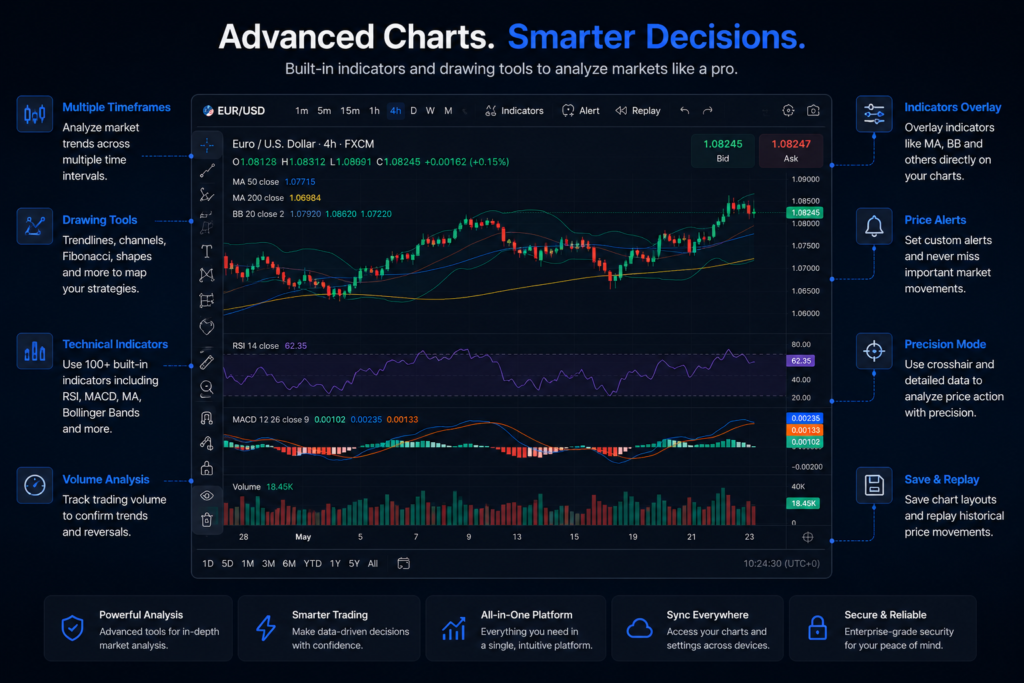
Beyond standard studies, thinkorswim lets advanced users write custom indicators with thinkScript and set sophisticated alerts. You can ask the platform to ping you when EUR/USD crosses a key moving average or when RSI dips below thirty. Alerts free you from staring at screens all day and help you trade your plan instead of your impulses. As you grow, the Analyze tab and built-in scanners open even more doors, but the fundamentals of clean charts and disciplined alerts carry you a long way first.
How Trading Forex on Webull Compares
Plenty of beginners ask about alternatives, and how to trade forex on webull is a common follow-up question. It is important to be precise here. Webull is best known as a commission-free platform for stocks, ETFs, options, and crypto, and it has expanded its product lineup over time. Forex and currency-related offerings on Webull have varied by region and by period, so you must verify exactly what is available in your country before assuming you can trade spot currency pairs there. Never take a single blog’s word as gospel on product availability; confirm it on the official app.
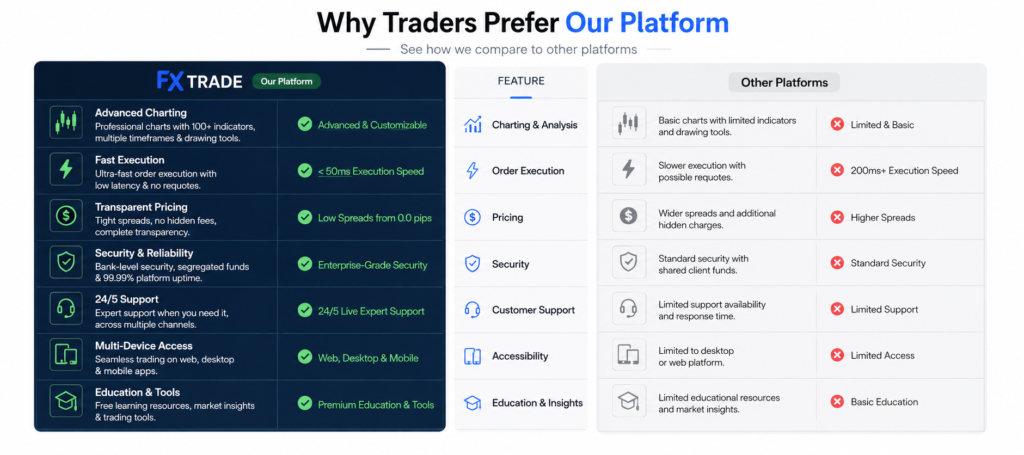
Where Webull genuinely stands out is simplicity and mobile-first design. The app is clean, fast, and friendly to newcomers who find thinkorswim’s depth intimidating. For someone whose main goal is an easy entry point with a modern interface, Webull is appealing. Thinkorswim, by contrast, rewards traders who want professional charting, advanced order types, and a single platform spanning multiple asset classes. Neither is objectively better; they serve different traders.
The comparison table below highlights the practical differences at a general level. Treat it as a starting orientation rather than a fixed fact sheet, since both platforms update features regularly.
| Feature | Thinkorswim (Schwab) | Webull |
|---|---|---|
| Best for | Advanced analysis, multi-asset traders | Simple, mobile-first beginners |
| Charting depth | Very deep, with thinkScript | Solid but lighter |
| Order types | Extensive (bracket, OCO, conditional) | Standard set |
| Forex availability | Spot forex (verify current terms) | Varies by region (verify) |
| Learning curve | Steeper | Gentle |
| Paper trading | Yes (paperMoney) | Yes |
The honest takeaway is to match the platform to your temperament. If you crave control and analytics, thinkorswim is your workshop. If you want to dip a toe in with minimal friction, Webull may suit you better. Many traders even start on the simpler app and graduate to thinkorswim as their skills deepen.
How to Trade Forex with 100 Dollars
Now for the question that sparks the most hope and the most unrealistic dreams. Yes, you can technically learn how to trade forex with 100 dollars, but you must set expectations carefully. A hundred dollars will not make you rich, and anyone promising otherwise is selling a fantasy. What a small account can do is teach you the mechanics of real trading with real emotions, which is something no demo account fully replicates. The goal at this stage is education and discipline, not income.
The mechanics rely on small position sizes. Standard forex lots are large, but micro lots (1,000 units) and nano lots (100 units) let you trade tiny positions where each pip is worth pennies. With a small balance, you should trade the smallest size your broker allows so that a normal price swing does not blow up your account. Leverage makes small accounts possible by letting you control a larger position with a small deposit, but it is a double-edged sword. The same leverage that amplifies a winning pip amplifies a losing one, and over-leveraging is the fastest way to lose everything.
Risk management is your lifeline. A widely respected guideline is to risk no more than one to two percent of your account on any single trade. On a 100 dollar account, that means risking just one to two dollars per trade, which forces tiny stops and tiny sizes. It feels almost trivial, but that is the point. You are building habits, not chasing jackpots. Use a stop-loss on every trade, keep a simple journal of what you do and why, and measure progress in consistency rather than dollars.
Here is the realistic path for a small account. Spend weeks in paper trading until your process is mechanical. Fund a small live amount only when you can follow your rules without flinching. Trade micro or nano lots, risk a tiny fraction per trade, and treat early losses as tuition. If you can grow a small account slowly and steadily without blowing it up, you have proven something far more valuable than a quick profit: that you can manage risk. That skill, not the starting balance, is what eventually scales.
What Top Traders and Research Say
Learning from experienced voices keeps your expectations grounded. A genuinely useful book for currency traders is Kathy Lien’s Day Trading and Swing Trading the Currency Market. Lien, a well-known forex analyst, walks through fundamental and technical strategies and the macro forces that move exchange rates, making it a practical companion as you apply the chart and order skills covered above.
On the research side, the classic study “Trading Is Hazardous to Your Wealth” by Brad Barber and Terrance Odean, published in the Journal of Finance (2000), examined thousands of retail trading accounts and found that the most active traders tended to underperform, largely due to overtrading and transaction costs. The lesson translates directly to forex: frequent, impulsive trading often erodes returns, which is exactly why disciplined sizing and patience matter on platforms like thinkorswim.
Finally, a reminder from one of history’s most successful investors. As Warren Buffett famously put it, “Risk comes from not knowing what you’re doing.” Treat education as your first investment, and the platform mechanics become tools rather than traps.
Frequently Asked Questions (FAQs)
Is thinkorswim good for beginners learning forex?
Thinkorswim has a steeper learning curve than some apps, but it is excellent for beginners who are willing to invest time. The free paperMoney mode lets you practice how to trade forex on thinkorswim with virtual cash, so you can master order entry, charting, and risk controls before going live. Start small, lean on the demo, and grow into the platform’s advanced tools at your own pace.
Can I really start trading forex with only 100 dollars?
Yes, learning how to trade forex with 100 dollars is possible through micro or nano lots and careful position sizing. However, set realistic expectations. A small account is for education and discipline, not for getting rich quickly. Risk only one to two percent per trade, always use a stop-loss, and treat early losses as the cost of learning rather than a reason to chase bigger bets.
How does trading forex on Webull differ from thinkorswim?
The main differences are depth and simplicity. Exploring how to trade forex on webull appeals to beginners who want a clean, mobile-first experience, while thinkorswim offers professional charting, advanced order types, and multi-asset trading in one place. Forex availability on Webull can vary by region and period, so always confirm current product terms in the official app before assuming you can trade currency pairs.
What order types should beginners use on thinkorswim?
Beginners should master market, limit, and stop orders first. The most valuable habit is using a bracket or OCO order that attaches a take-profit and a stop-loss at entry. This defines your exit before emotions interfere, keeps losses small, and protects gains. As you gain experience, you can layer in conditional and more advanced orders that thinkorswim supports.
Which currency pairs are best to trade as a beginner?
Stick to the major pairs such as EUR/USD, USD/JPY, and GBP/USD. They offer the tightest spreads and the highest liquidity, which means smoother entries and exits and lower transaction costs. Keep your watchlist short while learning so you can study price action closely instead of spreading your attention across too many markets at once.
Do I need leverage to trade forex?
Leverage is common in forex and is what makes small accounts viable, but it must be respected. It magnifies both profits and losses, so over-leveraging is the fastest route to wiping out a balance. Use the lowest practical leverage while learning, size positions conservatively, and let risk management, not leverage, drive your results.
Final Thoughts
Learning how to trade forex on thinkorswim is less about memorizing buttons and more about building a repeatable, disciplined process. You start by understanding the platform, open and verify your account, fund it sensibly, and locate the major currency pairs that suit beginners. From there, you place trades with the right order types, protect every position with a stop-loss, and read clean charts supported by a few trusted indicators. Along the way, it helps to know how alternatives like Webull compare so you can choose the platform that matches your style, and to approach a small balance the right way if you are exploring how to trade forex with 100 dollars. The traders who last are not the ones who bet big; they are the ones who manage risk, keep learning, and treat consistency as the real prize. Master the fundamentals first, and the profits become a byproduct of good habits rather than luck.